Fleet Management#
Wingbeat separates three things that are easy to conflate: the tracker (the physical Garmin inReach device), the aircraft it’s riding in, and the pilot flying it. All three are managed from Settings, and any tracker’s aircraft/pilot assignment can change over time — a tracker isn’t permanently bolted to one plane.
Everyone can see the Aircraft, Pilots, and Trackers lists in Settings; only admins can add, edit, pause, or remove entries. See Settings for the full admin/user split.
Aircraft#
Identified by tail number, with an optional display name. Each aircraft carries:
- Hobbs/tach timers — a recorded value plus the timestamp it was recorded at. Wingbeat estimates the current reading between recordings using recent flight time and a correction factor, so the alerts feed and info card don’t just show a stale number.
- Maintenance schedule — a list of items, each due either on a Hobbs/tach interval (hours since last done) or a calendar date. See Maintenance Tracking.
Pilots#
Just a name and an active flag — pilots are never hard-deleted, so historical flights keep a valid reference even after someone stops flying. See Pilot Duty Log for what’s tracked per pilot.
Trackers#
A tracker is a Garmin inReach device polling a MapShare feed. Currently inReach/MapShare is the only supported tracker type; the poller is factored so other tracker types could be added later without restructuring ingestion.
Add a tracker with:
- Display name
- MapShare URL — the feed’s “Raw KML Data” link
- Access code, if the MapShare feed has one set
- Optional aircraft/pilot assignment at creation time
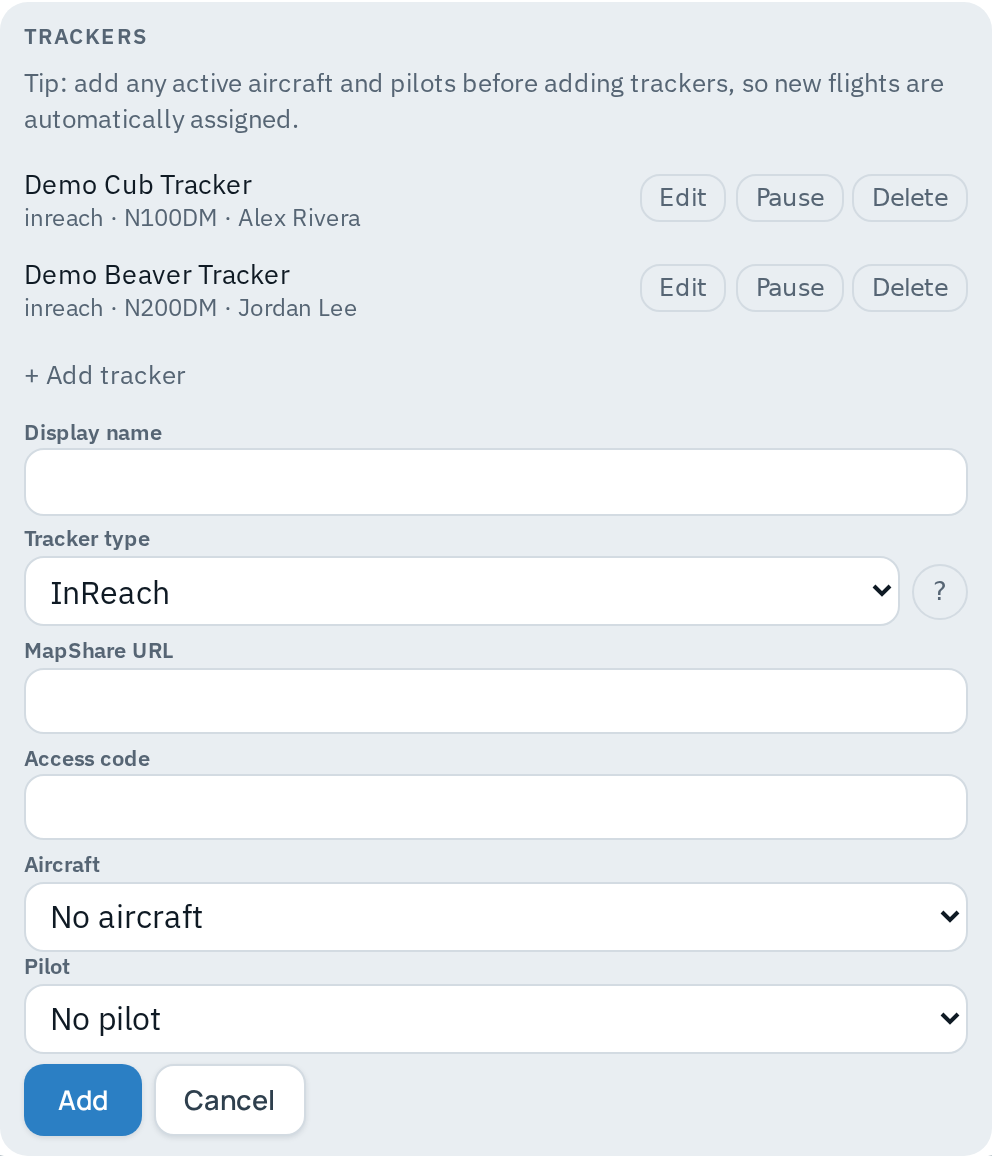
A tracker can be paused (polling stops, history is kept) or soft-deleted (hidden, never hard-deleted — historical flights keep their tracker reference).
Getting the MapShare URL#
- On explore.garmin.com, open MapShare and confirm it’s turned on.
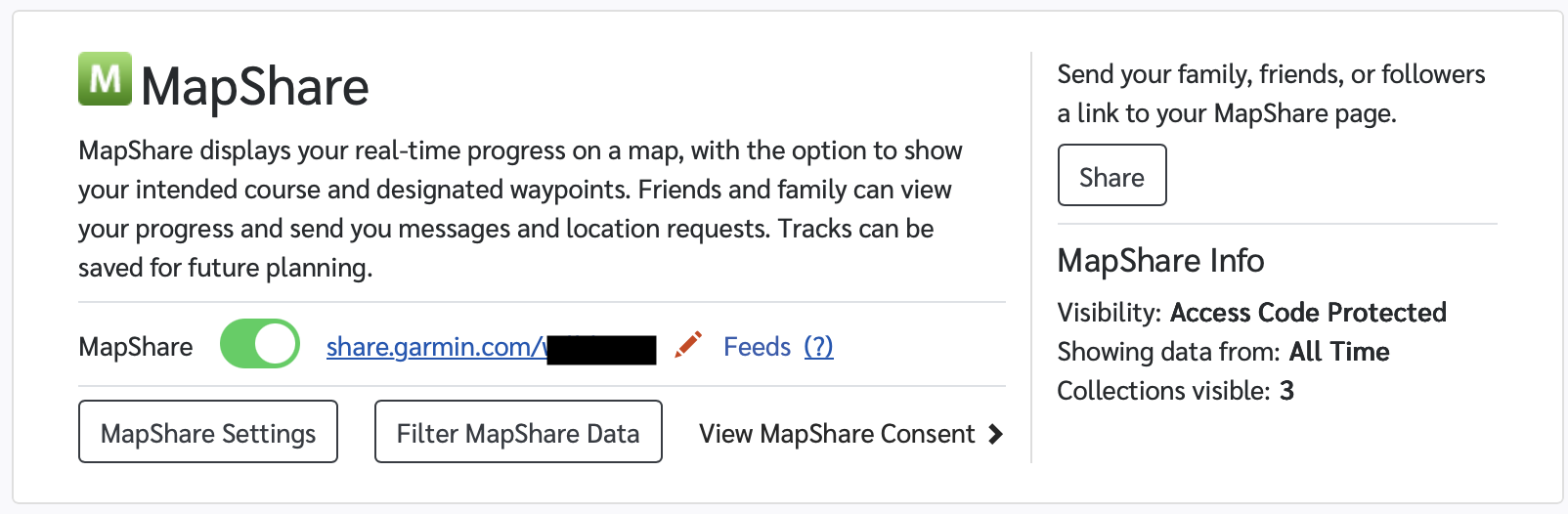
- Open MapShare Settings and note (or set) the Access Code. It can be
left blank.
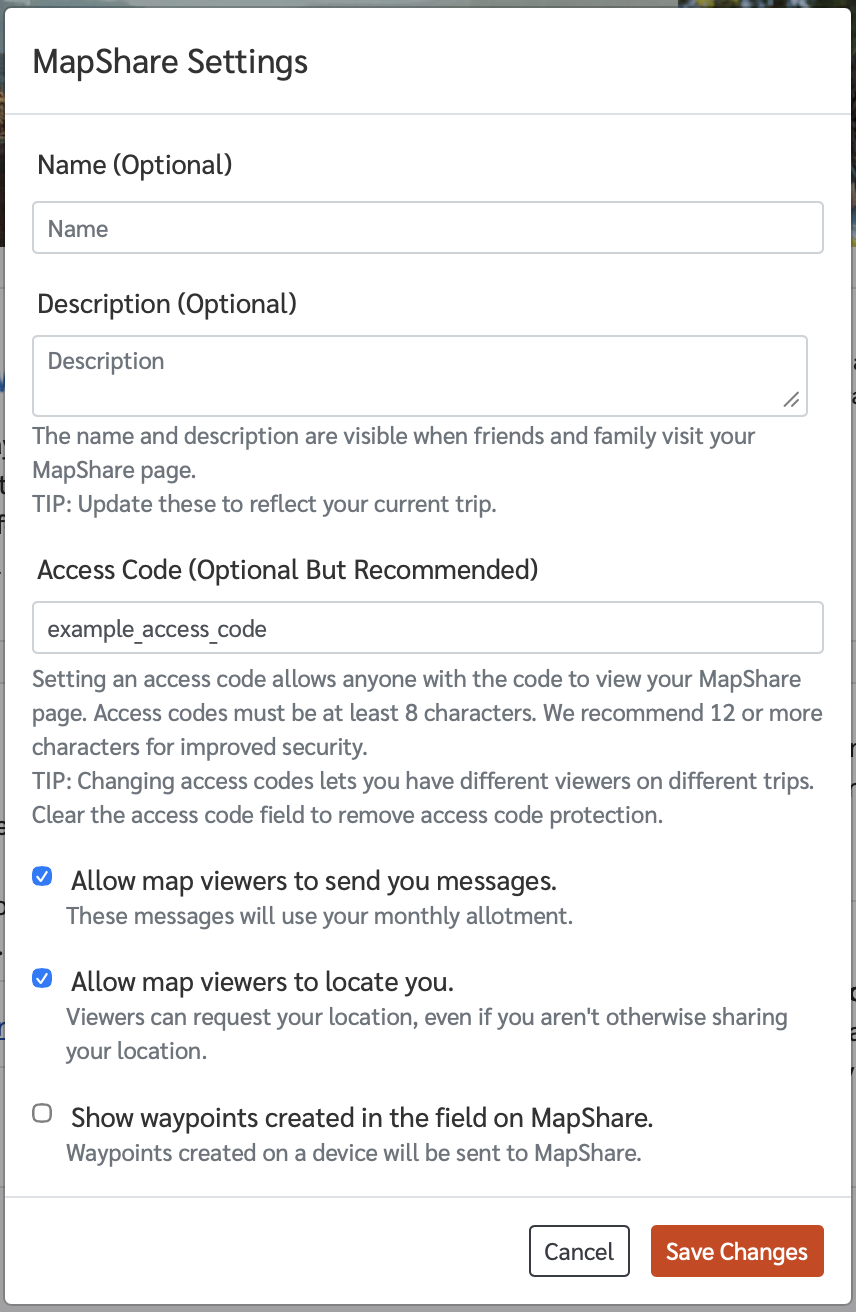
- Save, then open Feeds and copy the Raw KML Data link — it looks
like
https://share.garmin.com/Feed/Share/<name>.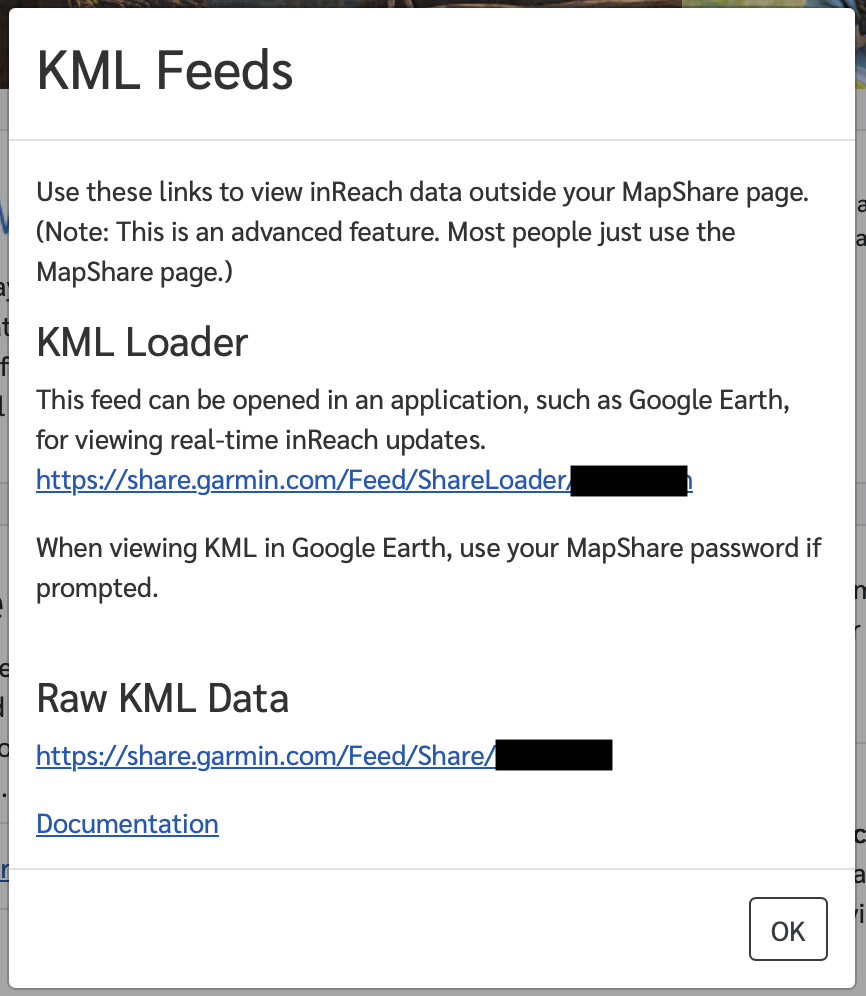
- Paste that URL (and the access code, if any) into the “Add tracker” form.
Professional Garmin accounts or LiveTrack-only setups use a different feed — see Garmin’s own documentation for those.
Flight assignment#
Every point ingested from a tracker is stamped with that tracker’s current aircraft/pilot assignment at poll time. A flight’s aircraft/pilot is derived from the points that make it up, so:
- Reassigning a tracker only affects future points/flights — past flights keep the assignment that was active when they happened.
- An individual flight can also be manually reassigned after the fact (edit button on a flight), which patches both the flight record and its points — a resegmentation reproduces the same assignment.